
面向對象 + 原生js拖拽
拖拽div等盒子模型,都是日常操作沒有什么問題,如果是拖拽圖片的話,會有一點小坑要踩......
那么我們看代碼:
``` var Move_fn = {}; (function(Move_fn){ function Move_img() {}
Move_img.prototype = {
constructor:Move_img,
pageInit: function(imgEle, imgContent) {
this.Ele = imgEle;
this.Box = imgContent;
imgEle.className = "_positon";//添加定位屬性便於計算拖拽位置
this._mw = imgContent.offsetWidth - imgEle.offsetWidth;
this._mh = imgContent.offsetHeight - imgEle.offsetHeight;
this.mouseDown();
this.closeEvt();
},
closeEvt:function() {
var that = this;
this.Box.onclick = function(e) {
e.preventDefault();
e.stopPropagation();
if(e.target.tagName == "DIV" || e.srcElement.tagName == "div") {
Elf.utils.remove(that.Box.parentNode, that.Box.parentNode.parentNode);
}
}
},
mouseDown: function() {
var that = this;
this.Ele.onmousedown = function(e) {
that.offX = e.offsetX;
that.offY = e.offsetY;
that.mouseMove();
}
},
mouseMove: function(){
var that = this;
document.onmousemove = function(e) {
var l = e.clientX - that.offX;
var t = e.clientY - that.offY;
//判斷邊界設置最大最小值
if(t <= 0) {
t = 0;
}
if(t >= that._mh) {
t = that._mh;
}
if(l <= 0) {
l = 0;
}
if(l >= that._mw) {
l = that._mw;
}
that.Ele.style.top = t + "px";
that.Ele.style.left = l + "px";
that.mouseUp();
}
},
mouseUp: function() {
var that = this;
document.onmouseup = function(e) {
document.onmousemove = null;
document.onmousedown = null;
}
}
}
Move_fn.move_img = new Move_img();
}(Move_fn));
<p>使用方式也橫簡單,Move_fn.move_img.pageInit(imgShow, imgContent);初始化一下就好了。要求imgContent全屏遮蓋</p>
<p>現在來說一下,圖片拖拽的小坑。當鼠標移動到圖片上的時候,會有一個,圖片選中可拖拽的狀態,這個時候我們執行的是ondragstart、draggable事件,而不是自行添加的onmousemove事件。會造成的后果是什么呢?拖拽后圖片卡頓,自行添加的鼠標抬起事件onmouseup失效,當我們的鼠標抬起后依然會執行鼠標移動事件,即鼠標抬起后圖片會跟着鼠標跑</p>
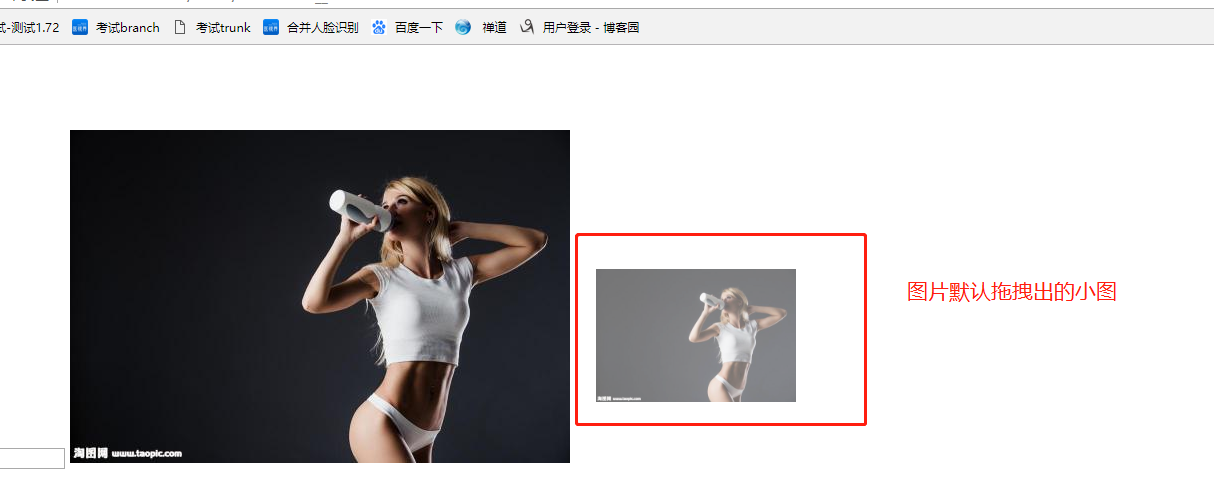
<p>解決辦法:禁止掉圖片自己的拖拽事件<br />
對要拖拽的圖片添加幾個屬性
<ul>
<li>oncontextmenu:"false" <span>禁止圖片右鍵菜單彈出</span></li>
<li>onselectstart:"false" <span>禁止圖片選中</span></li>
<li>ondragstart:"false" <span>禁止圖片拖拽</span></li>
<li>draggable:"false" <span>禁止圖片拖拽</span></li>
</ul>
</p>