Apple Watch
初步了解
- 簡介
- 項目演示
- 創建項目
- 簡單的hello world
- 項目結構
- Extension:位於用戶的iPhone安裝了對應的App上,包含我們需要實現的代碼邏輯和其他的資源文件
- watch app:目前只允許包含storyboard文件和resource文件
- InterfaceController:當前界面的控制器
- 與UIViewController的區別是:InterfaceController最終
繼承的是NSObject - InterfaceController
不會管理Watch APP的應用界面 - Watch APP的
界面是直接由Watch Kit來管理
- 與UIViewController的區別是:InterfaceController最終
- NotificationController interface的通知控制器
生命周期
- apple Watch啟動原理
- 用戶點擊Watch APP后,與Watch匹配的iPhone會啟動extension,然后與Watch建立連接,產生通信
- NotificationController:
- Watch OS提供了默認的通知顯示,當用戶點擊通知進入APP時,就會調用以下兩個方法
	- (void)handleActionWithIdentifier:(NSString *)identifier forLocalNotification:(UILocalNotification *)localNotification
{

}

- (void)handleActionWithIdentifier:(NSString *)identifier forRemoteNotification:(NSDictionary *)remoteNotification
{

}
- 通過這兩個方法獲得通知的消息,跳轉到目標界面
- 在NotificationController中可以實現以下兩個方法
- (void)didReceiveLocalNotification:(UILocalNotification *)localNotification withCompletion:(void (^)(WKUserNotificationInterfaceType))completionHandler {

}
- (void)didReceiveRemoteNotification:(NSDictionary *)remoteNotification withCompletion:(void (^)(WKUserNotificationInterfaceType))completionHandler {

}
- 獲得通知內容,並設置處理完成的回調Block
- apple Watch的生命周期方法
init:用來初始化interface ControllerawakeWithContext:類似UIViewController中的viewDidLoad方法,用來配置interface ControllerwillActivity:界面將要顯示給用戶時會被調用,主要用來對試圖進行一些小的調整,大規模的初始化還是放在init和awakeWithContextdidDeactivate:用來清空界面,程序進入不活動狀態,可以用它來終止Timer或者來停止動畫,這個方法不能再對界面進行操作- command + L鎖定屏幕
@implementation InterfaceController

/**
 *  初始化當前控制器,子控制器不一定有值
 *
 *  @return 控制器
 */
- (instancetype)init {
    if (self = [super init]) {
        NSLog(@"初始化當前控制器,子控制器不一定有值 %s %d", __func__, __LINE__);
    }
    return self;
}

/**
 *  創建界面完畢,可以在這個對子控制器賦值
 *
 *  @param context 界面里的內容
 */
- (void)awakeWithContext:(id)context {
    [super awakeWithContext:context];

    // Configure interface objects here.
    NSLog(@"創建界面完畢,可以在這個對子控制器賦值 %s %d", __func__, __LINE__);
}

/**
 *   即將進入程序,對界面做微調,具體的初始化應該放在 init 或者 awakeWithContext
 */
- (void)willActivate {
    // This method is called when watch view controller is about to be visible to user
    [super willActivate];

    NSLog(@"即將進入程序,對界面做微調,具體的初始化應該放在 init 或者 awakeWithContext %s %d", __func__, __LINE__);
}

/**
 *  清空界面,一般是用來停止動畫:timer
 */
- (void)didDeactivate {
    // This method is called when watch view controller is no longer visible
    [super didDeactivate];
    NSLog(@"清空界面,一般是用來停止動畫:timer %s %d", __func__, __LINE__);
}

@end
控件的基本使用
-
標簽
- 屬性:
- installed:是否安裝這個控件
- horizontal:水平方向如何顯示
- vertical:垂直方向如何顯示
- size:
- 自適應自身的寬高
- 與當前的界面的等寬高
- 設置固定寬高
- adjustment:微調控件的值
- (void)awakeWithContext:(id)context { [super awakeWithContext:context]; // Configure interface objects here. // 設置標簽的文字 [self.label setText:@"我是一個標簽"]; // 設置標簽的文字顏色 [self.label setTextColor:[UIColor redColor]]; } - 屬性:
-
按鈕
- 改變label的文字
- 改變按鈕的狀態和文字
- 按鈕背景圖片
- 搭建界面

- 代碼實現
 - (void)awakeWithContext:(id)context {
    [super awakeWithContext:context];

    // Configure interface objects here.

    // 設置標簽文字
    [self.label setText:@"文字已經被改變"];
    // 設置標簽文字顏色
    [self.label setTextColor:[UIColor blueColor]];

    // 設置按鈕不可點
    [self.button setEnabled:NO];
    // 設置按鈕文字
    [self.button setTitle:@"不可dian"];
    // 設置按鈕背景圖片
    [self.button setBackgroundImage:[UIImage imageNamed:@"ad_00"]];
}
- 顯示效果

- 圖片
- 顯示一張圖片

- 代碼實現
- (void)awakeWithContext:(id)context {
    [super awakeWithContext:context];

    // Configure interface objects here.
    [self.image setImageNamed:@"ad_01.png"];
}
- 顯示效果
計算器
- 搭建界面

- 監聽事件
- 計算
控件的布局
- group:一組是一個容器,它管理着在你的界面的其他視圖的布局。可以指定背景顏色或圖像來顯示后面的組中的項目。
- 綜合小案例
- 使用storyboard

/**
 *  上
 */
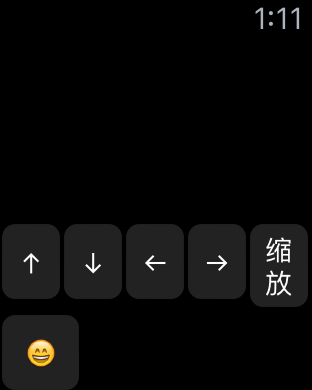
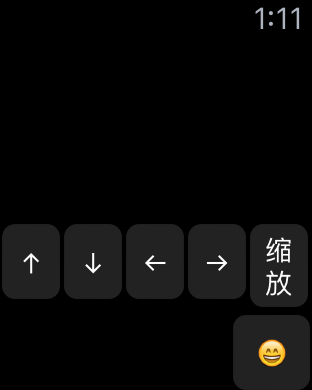
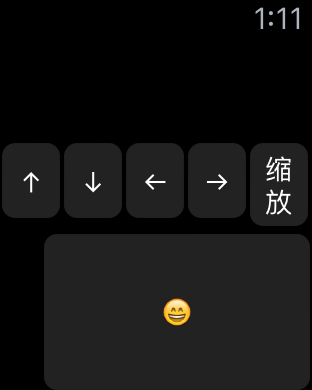
- (IBAction)up {

    // 設置動畫時長2.0秒
    [self animateWithDuration:2.0 animations:^{
        // 設置控件 垂直方向的位置
        [self.ball setVerticalAlignment:WKInterfaceObjectVerticalAlignmentTop];
    }];
}

/**
 *  下
 */
- (IBAction)down {

    [self animateWithDuration:2.0 animations:^{
        [self.ball setVerticalAlignment:WKInterfaceObjectVerticalAlignmentBottom];
    }];
}

/**
 *  左
 */
- (IBAction)left {

    [self animateWithDuration:2.0 animations:^{
        // 設置控件 水平方向的位置
        [self.ball setHorizontalAlignment:WKInterfaceObjectHorizontalAlignmentLeft];
    }];
}

/**
 *  右
 */
- (IBAction)rigth {

    [self animateWithDuration:2.0 animations:^{
        [self.ball setHorizontalAlignment:WKInterfaceObjectHorizontalAlignmentRight];
    }];
}
控制器
- 控制器的跳轉
- 使用storyboard
- 使用代碼的方式
/**
 *  push方式跳轉控制器
 */
- (IBAction)push {
    /**
     *  name: 給控制器綁定一個Identifier:pushCtr
     */
    [self pushControllerWithName:@"pushCtr" context:nil];
}

/**
 *  moda方式跳轉控制器
 */
- (IBAction)moda {
    [self presentControllerWithName:@"modaCtr" context:nil];
}
- 控制器的創建
圖片瀏覽器
- 通過nextpage
- 界面搭建

- 顯示效果


WKDevice
    // iOS
    UIDevice *device = [UIDevice currentDevice];

    // watch OS
    WKInterfaceDevice *interfaceDevice = [WKInterfaceDevice currentDevice];

    // 添加緩存圖片 (過程中可能會添加失敗)2
    [interfaceDevice addCachedImage:[UIImage imageNamed:@"ad_00"] name:@"Zeng01"];
    [interfaceDevice addCachedImage:[UIImage imageNamed:@"ad_01"] name:@"Zeng02"];

    /**
     *  會先判斷圖片是否子啊緩存區內,如果在,直接取出來使用
     *  如果不在緩存區,就創建一個名字為 ad_00 的圖片
     *  每一個watch App 的緩存區最大不超過20M
     *  如果超過了20M,那么就一次從最開始的緩存圖片開始刪除,用來存放新的緩存圖片
     */
    [self.showImage setImageNamed:@"ad_00"];


    // 從緩存區刪除緩存圖片
    [interfaceDevice removeCachedImageWithName:@"zeng02"];

    NSLog(@"所有的緩存圖片 = %@", interfaceDevice.cachedImages);

    /**
     *  獲取屏幕的大小
     *
     *  在42mm 的手表下  屏幕大小是 : 寬:156 高: 195   312 X 390 資源圖片的像素
     *  在38mm 的手表下  屏幕大小是 :  寬:  136  高: 170    272 X 340 資源圖片的像素
     */
    NSLog(@"當前屏幕的大小為 = %@, 當前屏幕可以縮放的比例 = %f", NSStringFromCGRect(interfaceDevice.screenBounds), interfaceDevice.screenScale);
顯示效果


數據的共享
// 數據共享
    // iOS
    NSUserDefaults *iOSDefaults = [NSUserDefaults standardUserDefaults];
    [iOSDefaults setObject:@"xmgShareData" forKey:@"xmgKey"];

    // watch OS
    // 1. 打開target中 app Groups  (iOS 上的  和 watch OS 上的)
        //1.1 打開成功之后 需要你寫一個名字
    // 2. 使用以下方式創建數據庫
    NSUserDefaults *watchOSDefaults = [[NSUserDefaults alloc]initWithSuiteName:@"group.xmg"];

    [watchOSDefaults setObject:@"網絡太差" forKey:@"xmgKey"];
其它控件
- separator
- switch
- slider
- date
tableView
- 界面搭建

- 代碼實現
ShowCell.h
@interface ShowCell : NSObject

- (void)setImageName:(NSString *)imageName title:(NSString *)title;

@end
showCell.m
#import "ShowCell.h"
#import <WatchKit/WatchKit.h>

@interface ShowCell ()

@property (unsafe_unretained, nonatomic) IBOutlet WKInterfaceImage *image;
@property (unsafe_unretained, nonatomic) IBOutlet WKInterfaceLabel *label;

@end

@implementation ShowCell
- (void)setImageName:(NSString *)imageName title:(NSString *)title
{
    [self.image setImageNamed:imageName];
    [self.label setText:title];
}
@end
InterfaceController.m
@interface InterfaceController()
@property (unsafe_unretained, nonatomic) IBOutlet WKInterfaceTable *tableView;

@end


@implementation InterfaceController

- (void)awakeWithContext:(id)context {
    [super awakeWithContext:context];

    // Configure interface objects here.
    [self.tableView setNumberOfRows:5 withRowType:@"row1"];

    for (NSUInteger i = 0; i < 5; i++) {

        // 獲取第i行的row
        ShowCell *cell = [self.tableView rowControllerAtIndex:i];
        // 賦值
        [cell setImageName:[NSString stringWithFormat:@"ad_0%d", i] title:[NSString stringWithFormat:@"第%d個", i + 1]];
    }
}

/**
 *  點擊了某行tableView
 */
- (void)table:(WKInterfaceTable *)table didSelectRowAtIndex:(NSInteger)rowIndex
{
    ShowCell *cell = [self.tableView rowControllerAtIndex:rowIndex];
    NSLog(@"%s", __func__);
}

- (void)willActivate {
    // This method is called when watch view controller is about to be visible to user
    [super willActivate];
}

- (void)didDeactivate {
    // This method is called when watch view controller is no longer visible
    [super didDeactivate];
}

/**
 *  添加一行
 */
- (IBAction)addRow {

    // 獲取tableView的最后一行
    NSIndexSet *indexSet = [NSIndexSet indexSetWithIndex:self.tableView.numberOfRows];

    // 插入一行
    [self.tableView insertRowsAtIndexes:indexSet withRowType:@"row1"];
    // 滾到哪一行
    [self.tableView scrollToRowAtIndex:0];
}


/**
 *  刪除一行
 */
- (IBAction)deleteRow {

    // 獲取tableView的最后一行
    NSIndexSet *lastIndexSet = [NSIndexSet indexSetWithIndex:self.tableView.numberOfRows - 1];
    // 刪除最后一行
    [self.tableView removeRowsAtIndexes:lastIndexSet];
}

@end
- 顯示效果

pickerView
- 界面搭建

- 代碼實現
@interface InterfaceController()
@property (unsafe_unretained, nonatomic) IBOutlet WKInterfacePicker *listPicker;
@property (unsafe_unretained, nonatomic) IBOutlet WKInterfacePicker *stackPicker;
@property (unsafe_unretained, nonatomic) IBOutlet WKInterfacePicker *sequencePicker;

@end


@implementation InterfaceController

- (void)awakeWithContext:(id)context {
    [super awakeWithContext:context];

    // Configure interface objects here.

    WKPickerItem *item1 = [[WKPickerItem alloc] init];
    item1.title = @"第1個";
    item1.contentImage = [WKImage imageWithImage:[UIImage imageNamed:@"ad_00"]];
    item1.caption = @"薯片真好吃";

    WKPickerItem *item2 = [[WKPickerItem alloc] init];
    item2.title = @"第2個";
    item2.contentImage = [WKImage imageWithImage:[UIImage imageNamed:@"ad_01"]];
    item2.caption = @"餅干真好吃";

    WKPickerItem *item3 = [[WKPickerItem alloc] init];
    item3.title =  @"第3個";
    item3.contentImage = [WKImage imageWithImage:[UIImage imageNamed:@"ad_02"]];
    item3.caption = @"水療";

    WKPickerItem *item4 = [[WKPickerItem alloc] init];
    item4.title = @"第4個";
    item4.contentImage = [WKImage imageWithImage:[UIImage imageNamed:@"ad_03"]];
    item4.caption = @"湯真美味";

    WKPickerItem *item5 = [[WKPickerItem alloc] init];
    item5.title = @"第5個";
    item5.contentImage = [WKImage imageWithImage:[UIImage imageNamed:@"ad_04"]];
    item5.caption = @"餐廳";

    [self.listPicker setItems:@[item1, item2, item3, item4, item5]];
    [self.stackPicker setItems:@[item1, item2, item3, item4, item5]];
    [self.sequencePicker setItems:@[item1, item2, item3, item4, item5]];

}
- 界面顯示


Glance
- 工程創建

- 界面搭建

- 運行選項

alert
- 界面搭建

- 代碼實現
- (IBAction)showAlertView {

    WKAlertAction *doneAction = [WKAlertAction actionWithTitle:@"done" style:WKAlertActionStyleDefault handler:^{
        NSLog(@"done");
    }];

    WKAlertAction *destructiveAction = [WKAlertAction actionWithTitle:@"具有破壞性的" style:WKAlertActionStyleDestructive handler:^{
        NSLog(@"具有破壞性的");
    }];

    WKAlertAction *cancelAction = [WKAlertAction actionWithTitle:@"exit" style:WKAlertActionStyleCancel handler:^{
        NSLog(@"cancel");
    }];

    /**
     *  三種顯示方式
     *  WKAlertControllerStyleAlert,
     *  WKAlertControllerStyleSideBySideButtonsAlert,
     *  WKAlertControllerStyleActionSheet,
     */

    // Action依次排序的
//    [self presentAlertControllerWithTitle:@"Demo" message:@"Action依次排序的" preferredStyle:WKAlertControllerStyleAlert actions:@[doneAction, destructiveAction, cancelAction]];

    // 只需要兩個Action 一個Action就相當於一個按鈕,否則報錯
//    [self presentAlertControllerWithTitle:@"Demo" message:@"只需要兩個Action 一個Action就相當於一個按鈕,否則報錯" preferredStyle:WKAlertControllerStyleSideBySideButtonsAlert actions:@[doneAction, cancelAction]];

    // 退出在左上角
    [self presentAlertControllerWithTitle:@"Demo" message:@"退出在左上角" preferredStyle:WKAlertControllerStyleActionSheet actions:@[doneAction, destructiveAction, cancelAction]];
}
-
顯示效果
- 初始化界面

- WKAlertControllerStyleAlert

- WKAlertControllerStyleSideBySideButtonsAlert

- WKAlertControllerStyleActionSheet

動畫
-
漸變動畫
-
平移動畫
-
hidden動畫
-
形變動畫
- 界面搭建

- 代碼實現
	/**
 *  上移
 */
- (IBAction)moveUp {
    [self animateWithDuration:2.0f animations:^{
        [self.ball setVerticalAlignment:WKInterfaceObjectVerticalAlignmentTop];
    }];
}

/**
 *  下移
 */
- (IBAction)moveDown {
    [self animateWithDuration:2.0f animations:^{
        [self.ball setVerticalAlignment:WKInterfaceObjectVerticalAlignmentBottom];
    }];

}

/**
 *  左移
 */
- (IBAction)moveLeft {
    [self animateWithDuration:2.0f animations:^{
        [self.ball setHorizontalAlignment:WKInterfaceObjectHorizontalAlignmentLeft];
    }];

}

/**
 *  右移
 */
- (IBAction)moveRight {
    [self animateWithDuration:2.0f animations:^{
        [self.ball setHorizontalAlignment:WKInterfaceObjectHorizontalAlignmentRight];
    }];
}

/**
 *  縮放
 */
- (IBAction)MoveZoom {
    [self animateWithDuration:2.0f animations:^{
        [self.ball setRelativeWidth:0.8 withAdjustment:10];
        [self.ball setRelativeHeight:0.4 withAdjustment:10];
    }];
}
-
顯示效果