
以下內容為原創,歡迎轉載,轉載請注明
來自天天博客:http://www.cnblogs.com/tiantianbyconan/p/4182929.html
可拖拽的紅點,(仿新版QQ,tab下面拖拽標記為已讀的效果),拖拽一定的距離可以消失回調。
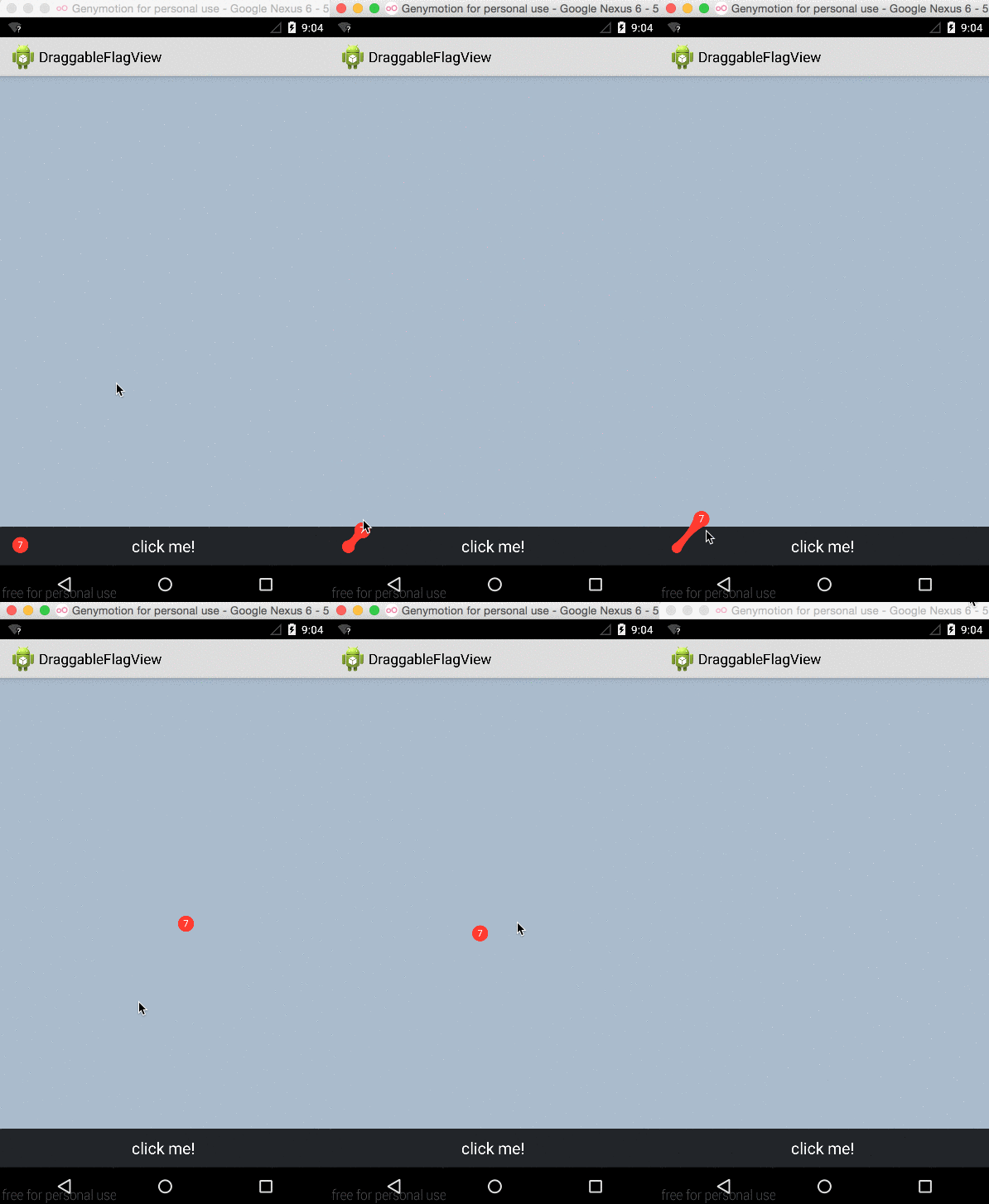
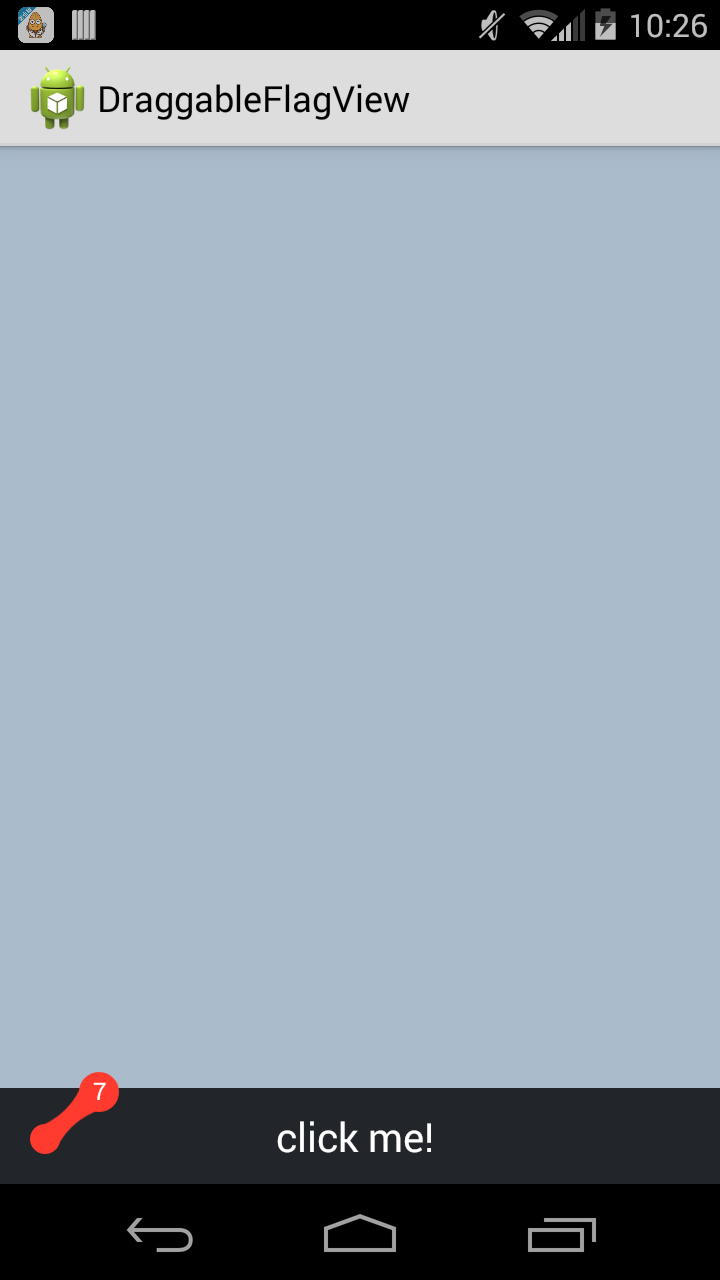
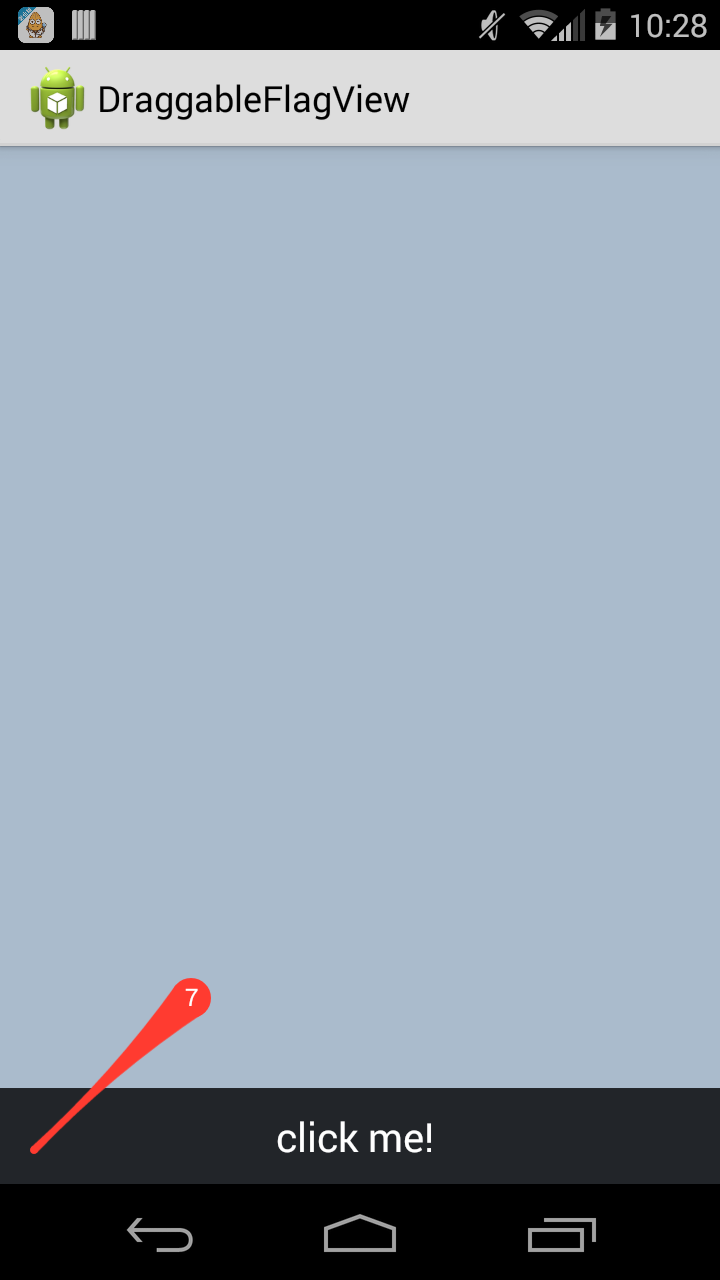
GitHub:DraggableFlagView(https://github.com/wangjiegulu/DraggableFlagView)
實現原理:
當根據touch事件的移動,不斷調用onDraw()方法進行刷新繪制。
*注意:這里原來的小紅點稱為紅點A;根據手指移動繪制的小紅點稱為紅點B。
touch事件移動的時候需要處理的邏輯:
1. 紅點A的半徑根據滑動的距離會不斷地變小。
2. 紅點B會緊隨手指的位置移動。
3. 在紅點A和紅點B之間需要用貝塞爾曲線繪制連接區域。
4. 如果紅點A和紅點B之間的間距達到了設置的最大的距離,則表示,這次的拖拽會有效,一旦放手紅點就會消失。
5. 如果達到了第4中情況,則紅點A和中間連接的貝塞爾曲線不會被繪制。
6. 如果紅點A和紅點B之間的距離沒有達到設置的最大的距離,則放手后,紅點B消失,紅點A從原來變小的半徑使用反彈動畫變換到原來最初的狀態
一些工具類需要依賴 AndroidBucket(https://github.com/wangjiegulu/AndroidBucket),nineoldandroid
使用方式:
<com.wangjie.draggableflagview.DraggableFlagView
       xmlns:dfv="http://schemas.android.com/apk/res/com.wangjie.draggableflagview"
            android:id="@+id/main_dfv"
            android:layout_width="20dp"
            android:layout_height="20dp"
            android:layout_alignParentBottom="true"
            android:layout_margin="15dp"
            dfv:color="#FF3B30"
            />
 1 public class MainActivity extends Activity implements DraggableFlagView.OnDraggableFlagViewListener, View.OnClickListener {
 2
 3     @Override
 4     public void onCreate(Bundle savedInstanceState) {
 5         super.onCreate(savedInstanceState);
 6         setContentView(R.layout.main);
 7         findViewById(R.id.main_btn).setOnClickListener(this);
 8
 9         DraggableFlagView draggableFlagView = (DraggableFlagView) findViewById(R.id.main_dfv);
10         draggableFlagView.setOnDraggableFlagViewListener(this);
11         draggableFlagView.setText("7");
12     }
13
14     @Override
15     public void onFlagDismiss(DraggableFlagView view) {
16         Toast.makeText(this, "onFlagDismiss", Toast.LENGTH_SHORT).show();
17     }
18
19     @Override
20     public void onClick(View v) {
21         switch (v.getId()) {
22             case R.id.main_btn:
23                 Toast.makeText(this, "hello world", Toast.LENGTH_SHORT).show();
24                 break;
25         }
26     }
27 }
DraggableFlagView代碼:
  1 /**
  2  * Author: wangjie
  3  * Email: tiantian.china.2@gmail.com
  4  * Date: 12/23/14.
  5  */
  6 public class DraggableFlagView extends View {
  7     private static final String TAG = DraggableFlagView.class.getSimpleName();
  8
  9     public static interface OnDraggableFlagViewListener {
 10         /**
 11          * 拖拽銷毀圓點后的回調
 12          *
 13          * @param view
 14          */
 15         void onFlagDismiss(DraggableFlagView view);
 16     }
 17
 18     private OnDraggableFlagViewListener onDraggableFlagViewListener;
 19
 20     public void setOnDraggableFlagViewListener(OnDraggableFlagViewListener onDraggableFlagViewListener) {
 21         this.onDraggableFlagViewListener = onDraggableFlagViewListener;
 22     }
 23
 24     public DraggableFlagView(Context context) {
 25         super(context);
 26         init(context);
 27     }
 28
 29     private int patientColor = Color.RED;
 30
 31     public DraggableFlagView(Context context, AttributeSet attrs) {
 32         super(context, attrs);
 33         TypedArray a = context.obtainStyledAttributes(attrs, R.styleable.DraggableFlagView);
 34         int indexCount = a.getIndexCount();
 35         for (int i = 0; i < indexCount; i++) {
 36             int attrIndex = a.getIndex(i);
 37             if (attrIndex == R.styleable.DraggableFlagView_color) {
 38                 patientColor = a.getColor(attrIndex, Color.RED);
 39             }
 40         }
 41         a.recycle();
 42         init(context);
 43     }
 44
 45     public DraggableFlagView(Context context, AttributeSet attrs, int defStyle) {
 46         super(context, attrs, defStyle);
 47         init(context);
 48     }
 49
 50     private Context context;
 51     private int originRadius; // 初始的圓的半徑
 52     private int originWidth;
 53     private int originHeight;
 54
 55     private int maxMoveLength; // 最大的移動拉長距離
 56     private boolean isArrivedMaxMoved; // 達到了最大的拉長距離(松手可以觸發事件)
 57
 58     private int curRadius; // 當前點的半徑
 59     private int touchedPointRadius; // touch的圓的半徑
 60     private Point startPoint = new Point();
 61     private Point endPoint = new Point();
 62
 63     private Paint paint; // 繪制圓形圖形
 64     private Paint textPaint; // 繪制圓形圖形
 65     private Paint.FontMetrics textFontMetrics;
 66
 67     private int[] location;
 68
 69     private boolean isTouched; // 是否是觸摸狀態
 70
 71     private Triangle triangle = new Triangle();
 72
 73     private String text = ""; // 正常狀態下顯示的文字
 74
 75     private void init(Context context) {
 76         this.context = context;
 77
 78         setBackgroundColor(Color.TRANSPARENT);
 79
 80         // 設置繪制flag的paint
 81         paint = new Paint();
 82         paint.setColor(patientColor);
 83         paint.setAntiAlias(true);
 84
 85         // 設置繪制文字的paint
 86         textPaint = new Paint();
 87         textPaint.setAntiAlias(true);
 88         textPaint.setColor(Color.WHITE);
 89         textPaint.setTextSize(ABTextUtil.sp2px(context, 12));
 90         textPaint.setTextAlign(Paint.Align.CENTER);
 91         textFontMetrics = paint.getFontMetrics();
 92
 93     }
 94
 95     RelativeLayout.LayoutParams originLp; // 實際的layoutparams
 96     RelativeLayout.LayoutParams newLp; // 觸摸時候的LayoutParams
 97
 98     private boolean isFirst = true;
 99
100     @Override
101     protected void onSizeChanged(int w, int h, int oldw, int oldh) {
102         super.onSizeChanged(w, h, oldw, oldh);
103 //        Logger.d(TAG, String.format("onSizeChanged, w: %s, h: %s, oldw: %s, oldh: %s", w, h, oldw, oldh));
104         if (isFirst && w > 0 && h > 0) {
105             isFirst = false;
106
107             originWidth = w;
108             originHeight = h;
109
110             originRadius = Math.min(originWidth, originHeight) / 2;
111             curRadius = originRadius;
112             touchedPointRadius = originRadius;
113
114             maxMoveLength = ABAppUtil.getDeviceHeight(context) / 6;
115
116             refreshStartPoint();
117
118             ViewGroup.LayoutParams lp = this.getLayoutParams();
119             if (RelativeLayout.LayoutParams.class.isAssignableFrom(lp.getClass())) {
120                 originLp = (RelativeLayout.LayoutParams) lp;
121             }
122             newLp = new RelativeLayout.LayoutParams(lp.width, lp.height);
123         }
124
125     }
126
127     @Override
128     public void setLayoutParams(ViewGroup.LayoutParams params) {
129         super.setLayoutParams(params);
130         refreshStartPoint();
131     }
132
133     /**
134      * 修改layoutParams后,需要重新設置startPoint
135      */
136     private void refreshStartPoint() {
137         location = new int[2];
138         this.getLocationInWindow(location);
139 //        Logger.d(TAG, "location on screen: " + Arrays.toString(location));
140 //            startPoint.set(location[0], location[1] + h);
141         try {
142             location[1] = location[1] - ABAppUtil.getTopBarHeight((Activity) context);
143         } catch (Exception ex) {
144         }
145
146         startPoint.set(location[0], location[1] + getMeasuredHeight());
147 //        Logger.d(TAG, "startPoint: " + startPoint);
148     }
149
150     Path path = new Path();
151
152     @Override
153     protected void onDraw(Canvas canvas) {
154         super.onDraw(canvas);
155         canvas.drawColor(Color.TRANSPARENT);
156
157         int startCircleX = 0, startCircleY = 0;
158         if (isTouched) { // 觸摸狀態
159
160             startCircleX = startPoint.x + curRadius;
161             startCircleY = startPoint.y - curRadius;
162             // 繪制原來的圓形(觸摸移動的時候半徑會不斷變化)
163             canvas.drawCircle(startCircleX, startCircleY, curRadius, paint);
164             // 繪制手指跟蹤的圓形
165             int endCircleX = endPoint.x;
166             int endCircleY = endPoint.y;
167             canvas.drawCircle(endCircleX, endCircleY, originRadius, paint);
168
169             if (!isArrivedMaxMoved) { // 沒有達到拉伸最大值
170                 path.reset();
171                 double sin = triangle.deltaY / triangle.hypotenuse;
172                 double cos = triangle.deltaX / triangle.hypotenuse;
173
174                 // A點
175                 path.moveTo(
176                         (float) (startCircleX - curRadius * sin),
177                         (float) (startCircleY - curRadius * cos)
178                 );
179                 // B點
180                 path.lineTo(
181                         (float) (startCircleX + curRadius * sin),
182                         (float) (startCircleY + curRadius * cos)
183                 );
184                 // C點
185                 path.quadTo(
186                         (startCircleX + endCircleX) / 2, (startCircleY + endCircleY) / 2,
187                         (float) (endCircleX + originRadius * sin), (float) (endCircleY + originRadius * cos)
188                 );
189                 // D點
190                 path.lineTo(
191                         (float) (endCircleX - originRadius * sin),
192                         (float) (endCircleY - originRadius * cos)
193                 );
194                 // A點
195                 path.quadTo(
196                         (startCircleX + endCircleX) / 2, (startCircleY + endCircleY) / 2,
197                         (float) (startCircleX - curRadius * sin), (float) (startCircleY - curRadius * cos)
198                 );
199                 canvas.drawPath(path, paint);
200             }
201
202
203         } else { // 非觸摸狀態
204             if (curRadius > 0) {
205                 startCircleX = curRadius;
206                 startCircleY = originHeight - curRadius;
207                 canvas.drawCircle(startCircleX, startCircleY, curRadius, paint);
208                 if (curRadius == originRadius) { // 只有在恢復正常的情況下才顯示文字
209                     // 繪制文字
210                     float textH = textFontMetrics.bottom - textFontMetrics.top;
211                     canvas.drawText(text, startCircleX, startCircleY + textH / 2, textPaint);
212 //                    canvas.drawText(text, startCircleX, startCircleY, textPaint);
213                 }
214             }
215
216         }
217
218 //        Logger.d(TAG, "circleX: " + startCircleX + ", circleY: " + startCircleY + ", curRadius: " + curRadius);
219
220
221     }
222
223     float downX = Float.MAX_VALUE;
224     float downY = Float.MAX_VALUE;
225
226     @Override
227     public boolean onTouchEvent(MotionEvent event) {
228         super.onTouchEvent(event);
229 //        Logger.d(TAG, "onTouchEvent: " + event);
230         switch (event.getAction()) {
231             case MotionEvent.ACTION_DOWN:
232                 isTouched = true;
233                 this.setLayoutParams(newLp);
234                 endPoint.x = (int) downX;
235                 endPoint.y = (int) downY;
236
237                 changeViewHeight(this, ViewGroup.LayoutParams.MATCH_PARENT, ViewGroup.LayoutParams.MATCH_PARENT);
238                 postInvalidate();
239
240                 downX = event.getX() + location[0];
241                 downY = event.getY() + location[1];
242 //                Logger.d(TAG, String.format("downX: %f, downY: %f", downX, downY));
243
244                 break;
245             case MotionEvent.ACTION_MOVE:
246                 // 計算直角邊和斜邊(用於計算繪制兩圓之間的填充去)
247                 triangle.deltaX = event.getX() - downX;
248                 triangle.deltaY = -1 * (event.getY() - downY); // y軸方向相反,所有需要取反
249                 double distance = Math.sqrt(triangle.deltaX * triangle.deltaX + triangle.deltaY * triangle.deltaY);
250                 triangle.hypotenuse = distance;
251 //                Logger.d(TAG, "triangle: " + triangle);
252                 refreshCurRadiusByMoveDistance((int) distance);
253
254                 endPoint.x = (int) event.getX();
255                 endPoint.y = (int) event.getY();
256
257                 postInvalidate();
258
259                 break;
260             case MotionEvent.ACTION_UP:
261                 isTouched = false;
262                 this.setLayoutParams(originLp);
263
264                 if (isArrivedMaxMoved) { // 觸發事件
265                     changeViewHeight(this, originWidth, originHeight);
266                     postInvalidate();
267                     if (null != onDraggableFlagViewListener) {
268                         onDraggableFlagViewListener.onFlagDismiss(this);
269                     }
270                     Logger.d(TAG, "觸發事件...");
271                     resetAfterDismiss();
272                 } else { // 還原
273                     changeViewHeight(this, originWidth, originHeight);
274                     startRollBackAnimation(500/*ms*/);
275                 }
276
277                 downX = Float.MAX_VALUE;
278                 downY = Float.MAX_VALUE;
279                 break;
280         }
281
282         return true;
283     }
284
285     /**
286      * 觸發事件之后重置
287      */
288     private void resetAfterDismiss() {
289         this.setVisibility(GONE);
290         text = "";
291         isArrivedMaxMoved = false;
292         curRadius = originRadius;
293         postInvalidate();
294     }
295
296     /**
297      * 根據移動的距離來刷新原來的圓半徑大小
298      *
299      * @param distance
300      */
301     private void refreshCurRadiusByMoveDistance(int distance) {
302         if (distance > maxMoveLength) {
303             isArrivedMaxMoved = true;
304             curRadius = 0;
305         } else {
306             isArrivedMaxMoved = false;
307             float calcRadius = (1 - 1f * distance / maxMoveLength) * originRadius;
308             float maxRadius = ABTextUtil.dip2px(context, 2);
309             curRadius = (int) Math.max(calcRadius, maxRadius);
310 //            Logger.d(TAG, "[refreshCurRadiusByMoveDistance]curRadius: " + curRadius + ", calcRadius: " + calcRadius + ", maxRadius: " + maxRadius);
311         }
312
313     }
314
315
316     /**
317      * 改變某控件的高度
318      *
319      * @param view
320      * @param height
321      */
322     private void changeViewHeight(View view, int width, int height) {
323         ViewGroup.LayoutParams lp = view.getLayoutParams();
324         if (null == lp) {
325             lp = originLp;
326         }
327         lp.width = width;
328         lp.height = height;
329         view.setLayoutParams(lp);
330     }
331
332     /**
333      * 回滾狀態動畫
334      */
335     private ValueAnimator rollBackAnim;
336
337     private void startRollBackAnimation(long duration) {
338         if (null == rollBackAnim) {
339             rollBackAnim = ValueAnimator.ofFloat(curRadius, originRadius);
340             rollBackAnim.addUpdateListener(new ValueAnimator.AnimatorUpdateListener() {
341                 @Override
342                 public void onAnimationUpdate(ValueAnimator animation) {
343                     float value = (float) animation.getAnimatedValue();
344                     curRadius = (int) value;
345                     postInvalidate();
346                 }
347             });
348             rollBackAnim.setInterpolator(new BounceInterpolator()); // 反彈效果
349             rollBackAnim.addListener(new AnimatorListenerAdapter() {
350                 @Override
351                 public void onAnimationEnd(Animator animation) {
352                     super.onAnimationEnd(animation);
353                     DraggableFlagView.this.clearAnimation();
354                 }
355             });
356         }
357         rollBackAnim.setDuration(duration);
358         rollBackAnim.start();
359     }
360
361
362     /**
363      * 計算四個坐標的三角邊關系
364      */
365     class Triangle {
366         double deltaX;
367         double deltaY;
368         double hypotenuse;
369
370         @Override
371         public String toString() {
372             return "Triangle{" +
373                     "deltaX=" + deltaX +
374                     ", deltaY=" + deltaY +
375                     ", hypotenuse=" + hypotenuse +
376                     '}';
377         }
378     }
379
380     public String getText() {
381         return text;
382     }
383
384     public void setText(String text) {
385         this.text = text;
386         postInvalidate();
387     }
388 }