https://github.com/chroblert/WindowsVulnScan
0x00 說明:
這是一款基於主機的漏洞掃描工具,采用多線程確保可以快速的請求數據,采用線程鎖可以在向sqlite數據庫中寫入數據避免database is locked的錯誤,采用md5哈希算法確保數據不重復插入。
本工具查找是否有公開exp的網站為shodan,該網站限制網絡發包的速度,因而采用了單線程的方式,且耗時較長。
功能:
- 查找主機上具有的CVE
- 查找具有公開EXP的CVE

0x01 起因:
因為需要做一些主機漏洞掃描方面的工作,因而編寫了這個簡單的工具。之前也查找了幾款類似的工具,如下:
vulmap:
vulmon開發的一款開源工具,原理是根據軟件的名稱和版本號來確定,是否有CVE及公開的EXP。這款Linux的工具挺好用,但是對於Windows系統層面不太適用。
windows-exp-suggester:
這款和本工具的原理一樣,嘗試使用了之后,發現它的CVEKB數據庫只更新到2017年的,並且沒有給出CVE是否有公開的EXP信息。https://github.com/secwiki/windows-kernel-exploits/tree/master/win-exp-suggester
基於以上所以寫了這個簡單的工具,該項目在https://github.com/chroblert/WindowsVulnScan
0x02 原理:
1. 搜集CVE與KB的對應關系。首先在微軟官網上收集CVE與KB對應的關系,然后存儲進數據庫中
2. 查找特定CVE網上是否有公開的EXP
3. 利用powershell腳本收集主機的一些系統版本與KB信息
4. 利用系統版本與KB信息搜尋主機上具有存在公開EXP的CVE
0x03 參數:
# author: JC0o0l # GitHub: https://github.com/chroblert/ 可選參數: -h, --help show this help message and exit -u, --update-cve 更新CVEKB數據 -U, --update-exp 更新CVEEXP數據 -m MODE, --mode MODE 搭配-U使用。更新模式 All:更新所有;Empty:只更新空白的;Error:只更新之前未成功更新的 -C, --check-EXP 檢索具有EXP的CVE -n PRODUCTNAME, --productName PRODUCTNAME 搭配-C使用。自定義產品名稱,如Windows 10 -N PRODUCTVERSION, --productVersion PRODUCTVERSION 搭配-C使用。自定義產品版本,如20H2 -f FILE, --file FILE ps1腳本運行后產生的.json文件
0x04 示例:
1. 首先運行powershell腳本KBCollect.ps收集一些信息
.\KBCollect.ps1
2. 將運行后產生的KB.json文件移動到cve-check.py所在的目錄
3. 安裝一些python3模塊
python3 -m pip install requirements.txt
4. 運行cve-check.py -u創建CVEKB數據庫
5. 運行cve-check.py -U更新CVEKB數據庫中的hasPOC字段
  此處可以使用-m選擇更新模式。
  -m All:更新所有
  -m Empty:只更新hasPOC字段為空的
  -m Error:只更新hasPOC字段為Error的
6. 運行cve-check.py -C -f KB.json查看具有公開EXP的CVE,如下:

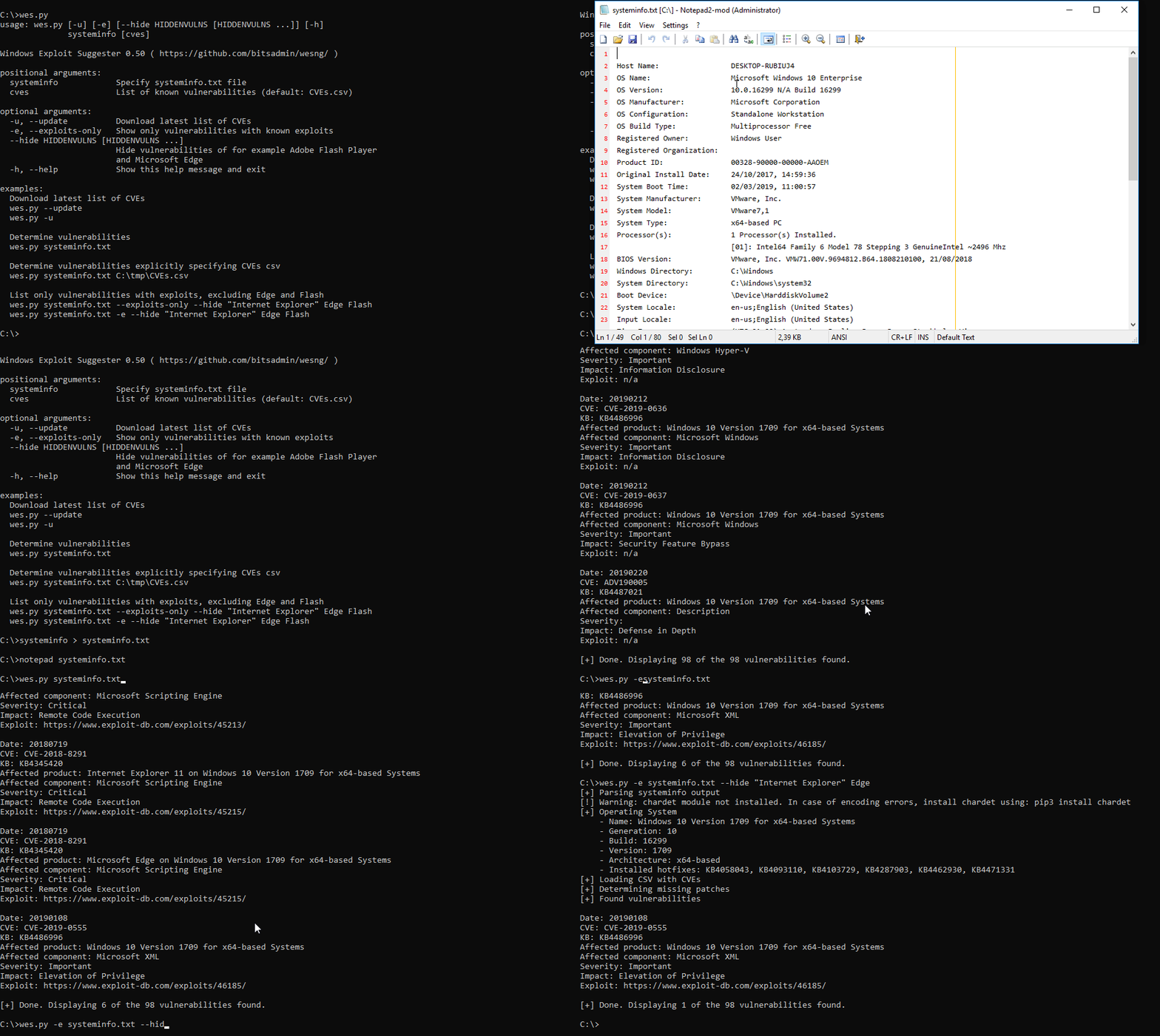
https://github.com/bitsadmin/wesng
Windows Exploit Suggester - Next Generation (WES-NG)
WES-NG is a tool based on the output of Windows' systeminfo utility which provides the list of vulnerabilities the OS is vulnerable to, including any exploits for these vulnerabilities. Every Windows OS between Windows XP and Windows 11, including their Windows Server counterparts, is supported.
On the bitsadm.in website an in-depth blog on WES-NG is available on this tool: Windows Security Updates for Hackers.
Usage
- Download WES-NG using
pip install wesngor using the following commandline:git clone https://github.com/bitsadmin/wesng --depth 1 - Obtain the latest database of vulnerabilities by executing the command
wes.py --update - There are two options to check for missing patches: a. Launch
missingkbs.vbson the host to have Windows determine which patches are missing b. Use Windows' built-insysteminfo.exetool to obtain the system information of the local system, or from a remote system usingsysteminfo /S MyRemoteHost, and redirect this to a file:systeminfo > systeminfo.txt - Depending on the method chosen in step 3 execute WES-NG: a. With the
missing.txtfile as input:wes.py --missing missing.txt(orwes.py -m missing.txt) b. With thesysteminfo.txtfile as the parameter:wes.py systeminfo.txtWES-NG then uses the database to determine which patches are applicable to the system and to which vulnerabilities are currently exposed, including exploits if available. - As the data provided by Microsoft's MSRC feed is frequently incomplete and false positives are reported by
wes.py, @DominicBreuker contributed the--muc-lookupparameter to validate identified missing patches from thesysteminfo.txtfile against Microsoft's Update Catalog. Additionally, make sure to check the Eliminating false positives page at the Wiki on how to interpret the results. For an overview of all available parameters for bothmissingpatches.vbsandwes.py, check CMDLINE.md.
Demo