
標簽: WebStorm 配置
描述: 有關 WebStorm 使用過程中出現的一些問題以及其解決方案的匯總
“unresolved function or method”
問題描述:
使用某些庫如 Express.js 時 WebStorm 無法識別某些函數
問題原因:
這些函數是在運行時動態添加的,WebStorm 不能通過靜態分析解析這些函數
解決方法:
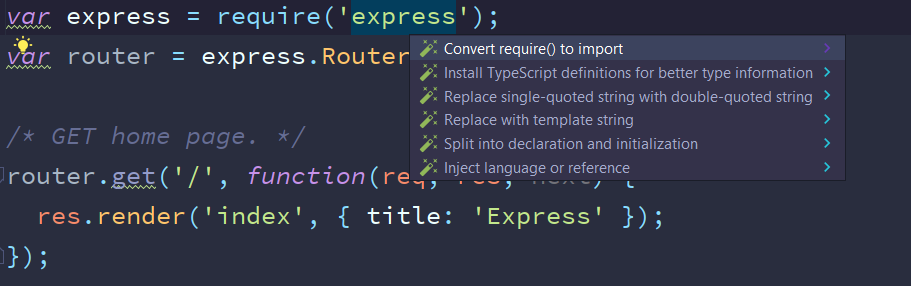
為 WebStorm 安裝此庫的 TypeScript 定義即可,方法是單擊庫的名字,按 Alt+Enter,然和選擇安裝 TypeScript 定義即可,如下圖:
WebStorm 不能識別 jQuery 的 $ 符號
- First press CTRL + ALT + S and go to settings.
- Then click from the menu Languages & Frameworks
- Select JavaScript from the section below and select Libraries
- In the open menu on the right, click on the Download button and select jquery from the list.
- Download it and apply. It is done.
解決方法來自於: https://stackoverflow.com/questions/37038850/why-intellij-idea-doesnt-recognize-the-dollar-operator-of-jquery