
有關於 Transfer-Encoding:chunked 類型的響應,參見之前的文章HTTP 響應的分塊傳輸。這里看 Koa 中如何實現。
Koa 中請求返回的處理
雖然官方文檔有描述說明不建議直接調用 response.write:
Bypassing Koa's response handling is not supported. Avoid using the following node properties:
- res.statusCode
- res.writeHead()
- res.write()
- res.end()
但要實現分片向客戶端發送數據,必然還是得調用 Node.js Http 模塊的 response.write(chunk[, encoding][, callback]) 方法,而這里的 response 就是 ctx.res 或 ctx.response。
所以為什么 Koa 要說不建議直接調用上述方法操作請求的返回呢,我們來看看 Koa 內部對 response 都會做些什么默認的處理。
application.js
  handleRequest(ctx, fnMiddleware) {
    const res = ctx.res;
    res.statusCode = 404;
    const onerror = err => ctx.onerror(err);
    const handleResponse = () => respond(ctx);
    onFinished(res, onerror);
    return fnMiddleware(ctx).then(handleResponse).catch(onerror);
  }
在應用完各種中間件后(fnMiddleware(ctx))通過 handleResponse 對請求進行一些操作,最終是在 respond 函數里。
respond 方法
function respond(ctx) {
  // allow bypassing koa
  if (false === ctx.respond) return;
if (!ctx.writable) return;
const res = ctx.res;

let body = ctx.body;

const code = ctx.status;
// ignore body

if (statuses.empty[code]) {

// strip headers

ctx.body = null;

return res.end();

}
if ('HEAD' == ctx.method) {

if (!res.headersSent && isJSON(body)) {

ctx.length = Buffer.byteLength(JSON.stringify(body));

}

return res.end();

}
// status body

if (null == body) {

if (ctx.req.httpVersionMajor >= 2) {

body = String(code);

} else {

body = ctx.message || String(code);

}

if (!res.headersSent) {

ctx.type = 'text';

ctx.length = Buffer.byteLength(body);

}

return res.end(body);

}
// responses

if (Buffer.isBuffer(body)) return res.end(body);

if ('string' == typeof body) return res.end(body);

if (body instanceof Stream) return body.pipe(res);
// body: json

body = JSON.stringify(body);

if (!res.headersSent) {

ctx.length = Buffer.byteLength(body);

}

res.end(body);

}
respond 方法里會根據外部是否有設置過 ctx.body,以及不同的 header 來設置 ctx.body,最終會調用 response.end 來結束掉本次請求。
注意到如果設置了 ctx.respond = false,這個方法就直接 return 了,這是一種跳過這里處理的方式。但其實如果我們在中間件中手動調用了 ctx.res.end() 后,相當於已經提前結束掉請求了,同樣也不會走 Koa 這里的處理。
所以直接在中間件中調用 ctx.res.write() 及 ctx.res.end() 就可以實現 chunked 類型的響應,倒無須對 Koa 做額外設置。
Koa 實現 chunked 數據傳輸
根據上面的分析,及之前一篇關於HTTP 響應的分塊傳輸的文章,我們得出以下 Koa 中的實現邏輯:
const Koa = require("koa");
const app = new Koa();
const PORT = 3000;
app.use((ctx, _next) => {
  const res = ctx.res;
  ctx.status = 200;
  res.setHeader("Content-Type", "text/html");
  res.write(`start<br>`);
  return new Promise(resolve => {
    let i = 0,
      total = 5;
    while (i <= total) {
      (function(i) {
        setTimeout(() => {
          if (i === total) {
            resolve();
            res.end();
          } else {
            res.write(`${i}<br>`);
          }
        }, i * 1000);
      })(i);
      i++;
    }
  });
});
app.listen(PORT);

console.info(</span>server started at http://localhost:<span class="pl-s1"><span class="pl-pse">${</span><span class="pl-c1">PORT</span><span class="pl-pse">}</span></span><span class="pl-pds">);
運行效果:
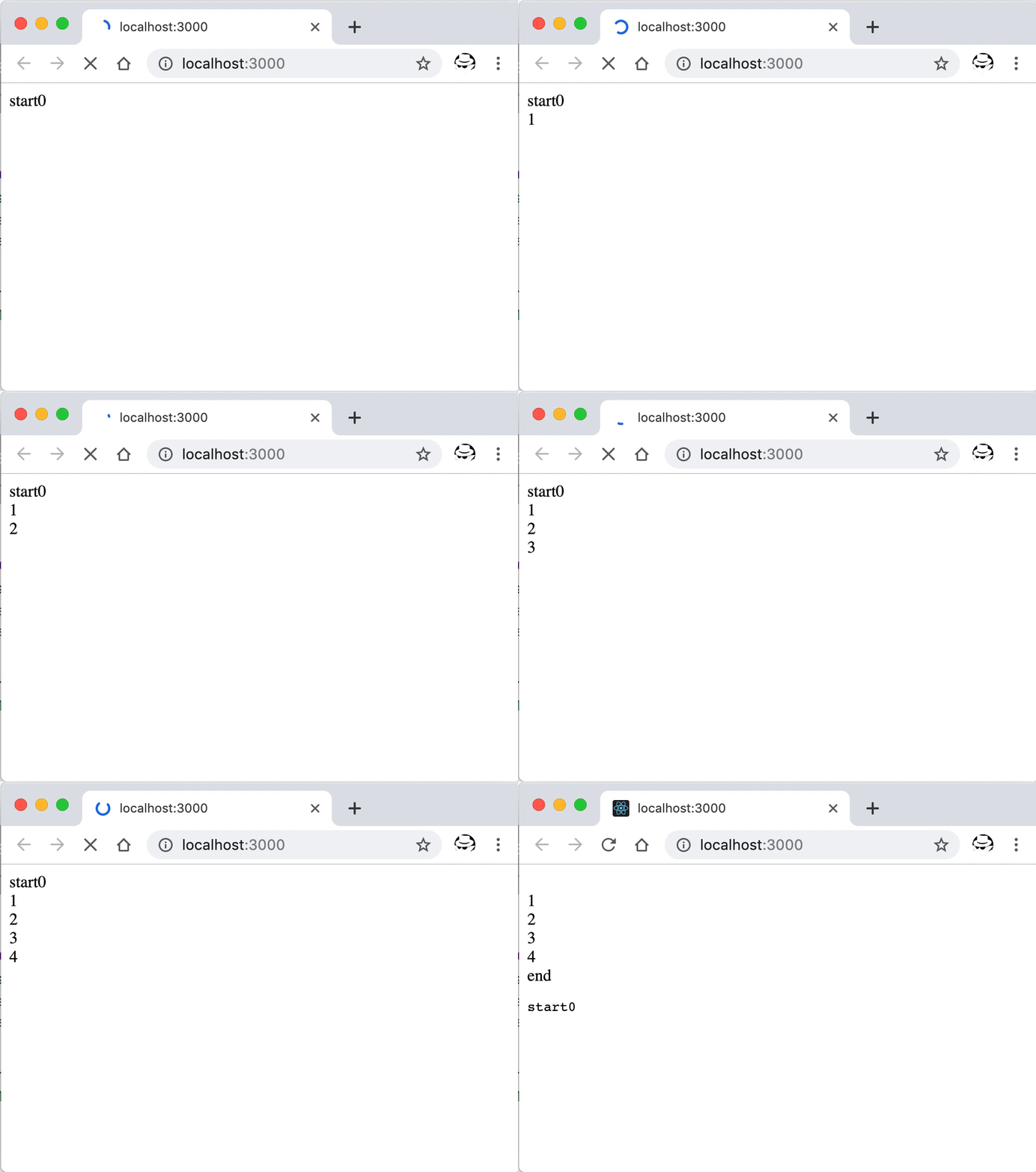
Koa 中實現 chunked 響應的運行效果
如你所見,Koa 中的這個實現會在調用 ctx.res.end() 后將本來應該在頁面內容中處於最頂部的內容,移動到最底部。不解。
或者通過 curl 在命令行中查看效果:
$ curl -N http://localhost:3000
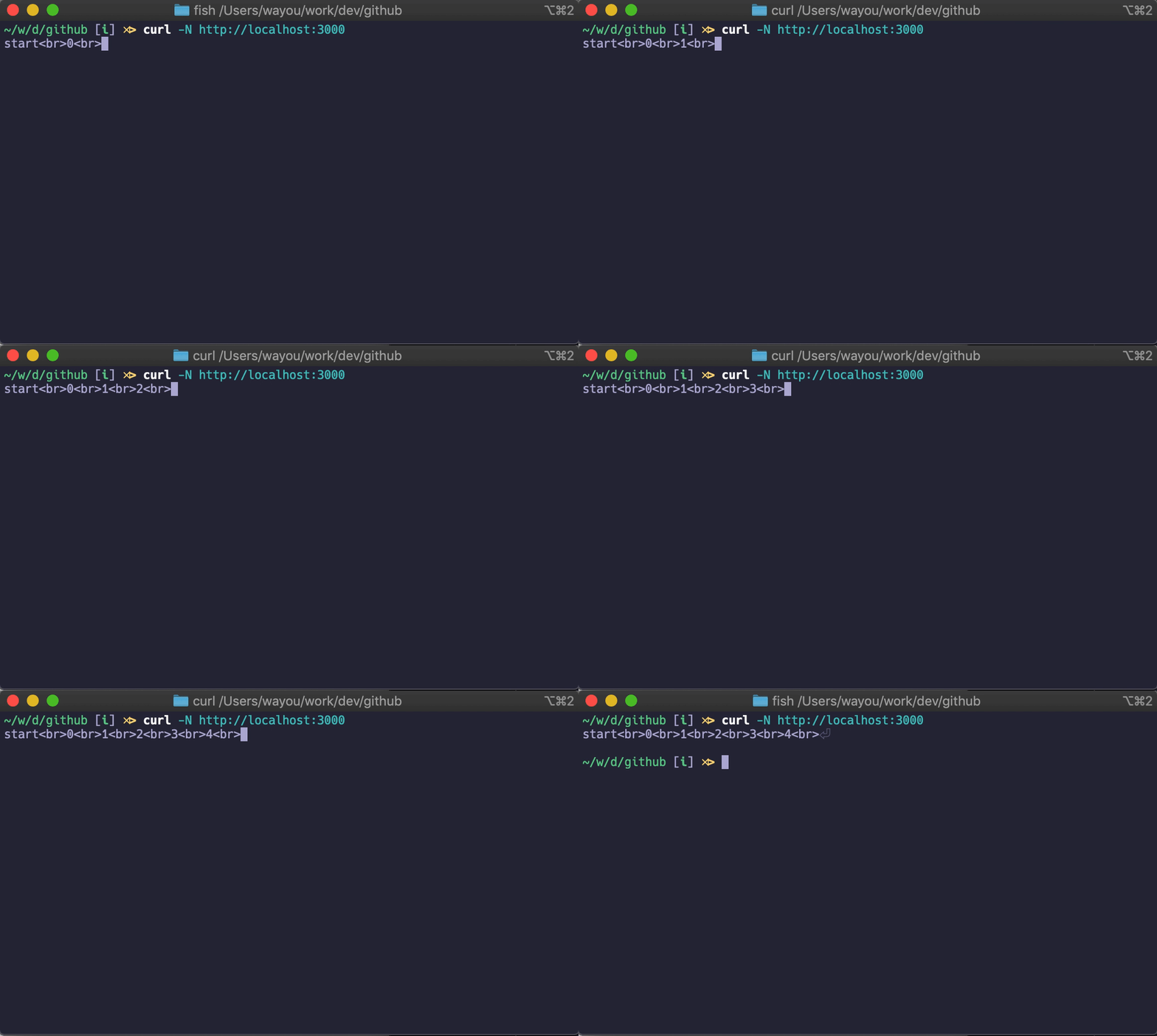
命令行中接收 chunked 數據的效果
示例代碼可在 wayou/koa-chunked-response 找到。