
一、背景
軟件測試過程中,最重要、最核心就是測試用例的設計,也是測試童鞋、測試團隊日常投入最多時間的工作內容之一。
然而,傳統的測試用例設計過程有很多痛點:
- 1、使用Excel表格進行測試用例設計,雖然成本低,但版本管理麻煩,維護更新耗時,用例評審繁瑣,過程報表統計難...
- 2、使用TestLink、TestCenter、Redmine等傳統測試管理工具,雖然測試用例的執行、管理、統計比較方便,但依然存在編寫用例效率不高、思路不夠發散、在產品快速迭代過程中比較耗時等問題...
- 3、公司自研測試管理工具,這是個不錯的選擇,但對於大部分小公司、小團隊來說,一方面研發維護成本高,另一方面對技術要有一定要求...
- 4、...
基於這些情況,現在越來越多公司選擇使用思維導圖這種高效的生產力工具進行用例設計,特別是敏捷開發團隊。
事實上也證明,思維導圖其發散性思維、圖形化思維的特點,跟測試用例設計時所需的思維非常吻合,所以在實際工作中極大提升了我們測試用例設計的效率,也非常方便測試用例評審。
但是與此同時,使用思維導圖進行測試用例設計的過程中也帶來不少問題:
- 1、測試用例難以量化管理、執行情況難以統計;
- 2、測試用例執行結果與BUG管理系統難以打通;
- 3、團隊成員用思維導圖設計用例的風格各異,溝通成本巨大;
- 4、...
綜合以上情況,我們可以發現不同的測試用例設計方式,各有各個的優劣。
那么問題來了,我們能不能將它們各自優點合在一起呢?這樣不就可以提升我們的效率了!
於是,這時候 XMind2TestCase 就應運而生了,該工具基於 Python 實現,通過制定測試用例通用模板,
然后使用 XMind 這款廣為流傳且開源的思維導圖工具進行用例設計。
其中制定測試用例通用模板是一個非常核心的步驟(具體請看使用指南),有了通用的測試用例模板,我們就可以在 XMind 文件上解析並提取出測試用例所需的基本信息,
然后合成常見測試用例管理系統所需的用例導入文件。這樣就將 XMind 設計測試用例的便利與常見測試用例系統的高效管理結合起來了!
當前 XMind2TestCase 已實現從 XMind 文件到 TestLink 和 Zentao(禪道) 兩大常見用例管理系統的測試用例轉換,同時也提供 XMind 文件解析后的兩種數據接口
(TestSuites、TestCases兩種級別的JSON數據),方便快速與其他測試用例管理系統打通。
二、使用示例
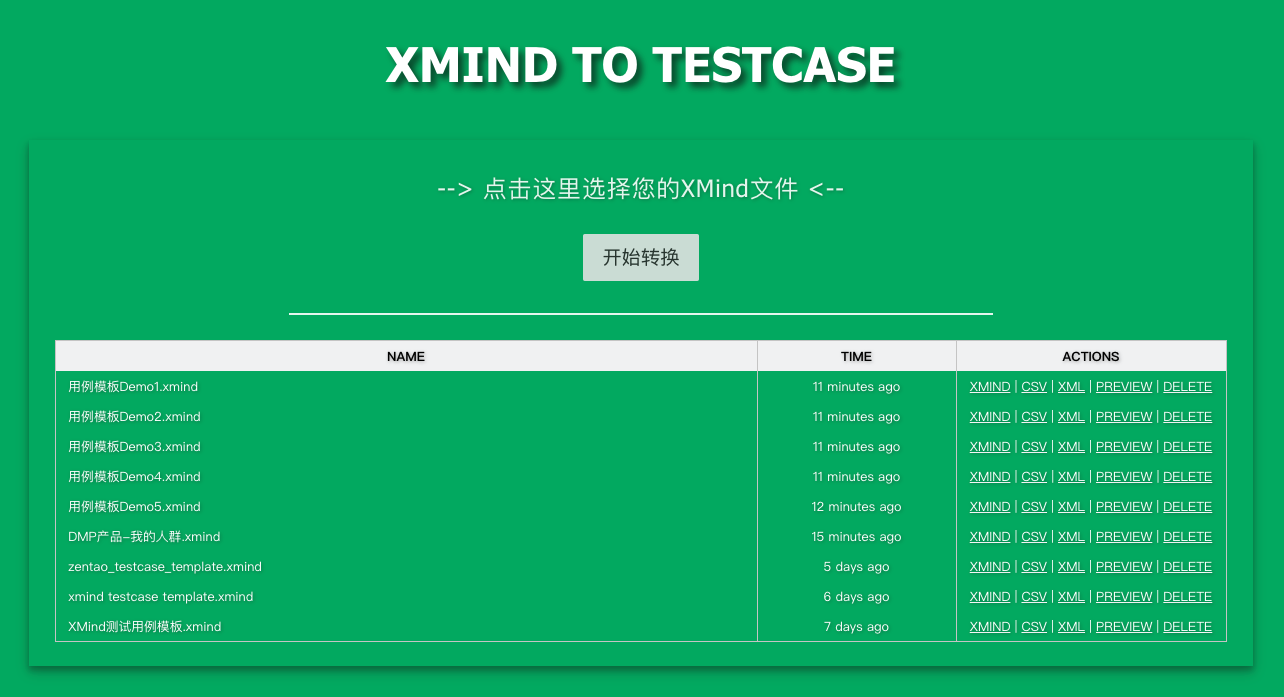
1、Web工具示例
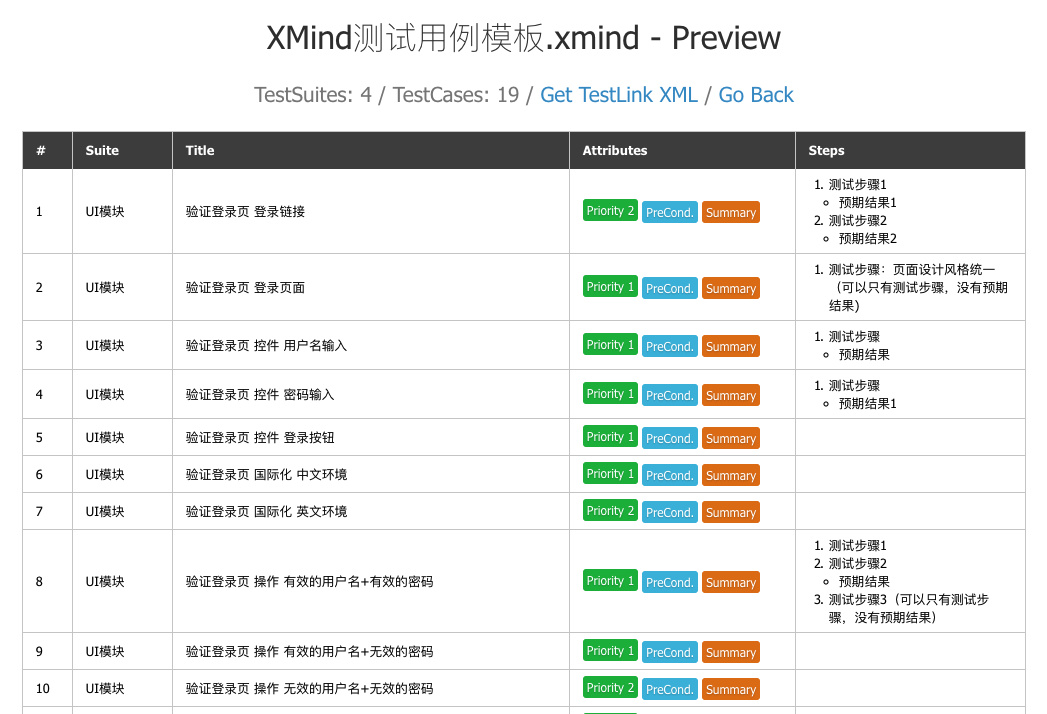
2、轉換后用例預覽
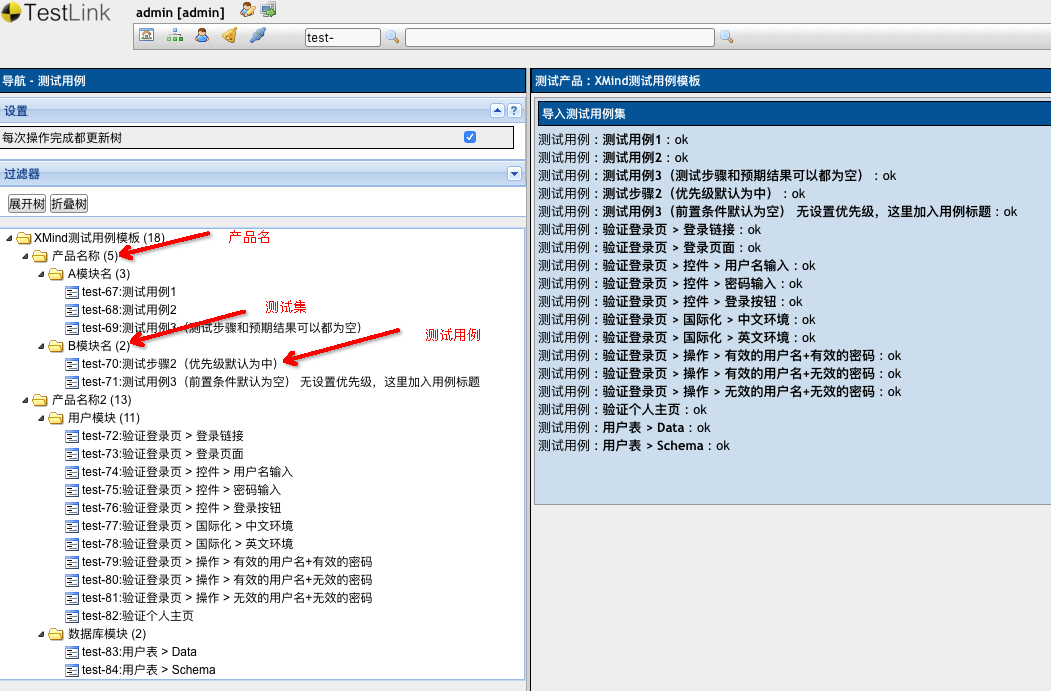
3、TestLink導入結果示例
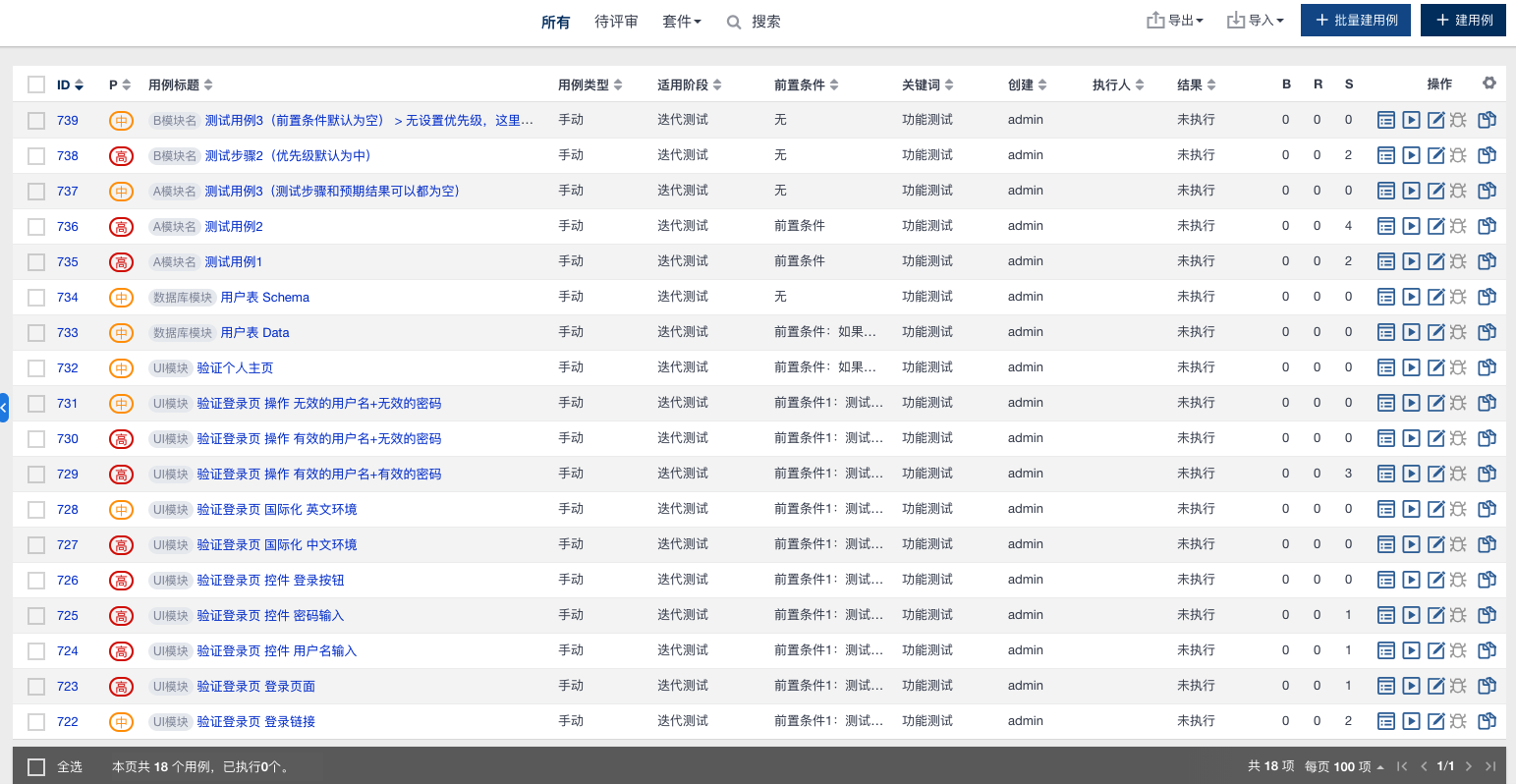
4、禪道(ZenTao)導入結果示例
三、安裝方式
pip3 install xmind2testcase
四、版本升級
pip3 install -U xmind2testcase
五、使用方式
1、命令行調用
Usage:
 xmind2testcase [path_to_xmind_file] [-csv] [-xml] [-json]

Example:
 xmind2testcase /path/to/testcase.xmind => output testcase.csv、testcase.xml、testcase.json
 xmind2testcase /path/to/testcase.xmind -csv => output testcase.csv
 xmind2testcase /path/to/testcase.xmind -xml => output testcase.xml
 xmind2testcase /path/to/testcase.xmind -json => output testcase.json
2、使用Web界面
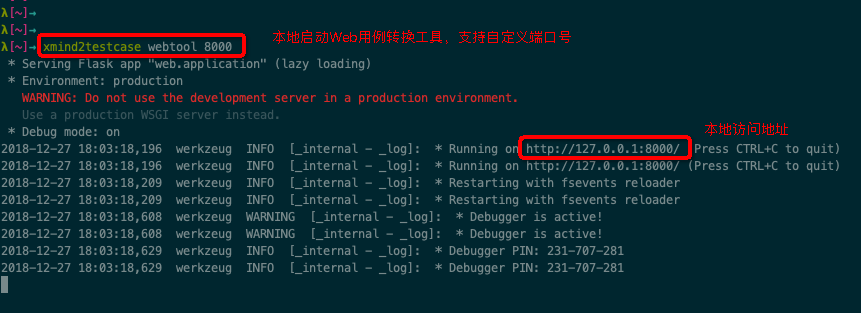
Usage:
 xmind2testcase [webtool] [port_num]

Example:
 xmind2testcase webtool => launch the web testcase convertion tool locally -> 127.0.0.1:5001
 xmind2testcase webtool 8000 => launch the web testcase convertion tool locally -> 127.0.0.1:8000
3、API調用
import json
import xmind
from xmind2testcase.zentao import xmind_to_zentao_csv_file
from xmind2testcase.testlink import xmind_to_testlink_xml_file
from xmind2testcase.utils import xmind_testcase_to_json_file
from xmind2testcase.utils import xmind_testsuite_to_json_file
from xmind2testcase.utils import get_xmind_testcase_list
from xmind2testcase.utils import get_xmind_testsuite_list


def main():
 xmind_file = 'docs/xmind_testcase_template.xmind'
 print('Start to convert XMind file: %s' % xmind_file)

 zentao_csv_file = xmind_to_zentao_csv_file(xmind_file)
 print('Convert XMind file to zentao csv file successfully: %s' % zentao_csv_file)

 testlink_xml_file = xmind_to_testlink_xml_file(xmind_file)
 print('Convert XMind file to testlink xml file successfully: %s' % testlink_xml_file)

 testsuite_json_file = xmind_testsuite_to_json_file(xmind_file)
 print('Convert XMind file to testsuite json file successfully: %s' % testsuite_json_file)

 testcase_json_file = xmind_testcase_to_json_file(xmind_file)
 print('Convert XMind file to testcase json file successfully: %s' % testcase_json_file)

 testsuites = get_xmind_testsuite_list(xmind_file)
 print('Convert XMind to testsuits dict data:\n%s' % json.dumps(testsuites, indent=2, separators=(',', ': '), ensure_ascii=False))

 testcases = get_xmind_testcase_list(xmind_file)
 print('Convert Xmind to testcases dict data:\n%s' % json.dumps(testcases, indent=4, separators=(',', ': ')))

 workbook = xmind.load