
目標
為數據庫創建一個正則表達式函數,供查詢使用
不建議使用函數,能查詢到內存里面用代碼解決的就用代碼解決!!!
這里的方法僅供參考
操作
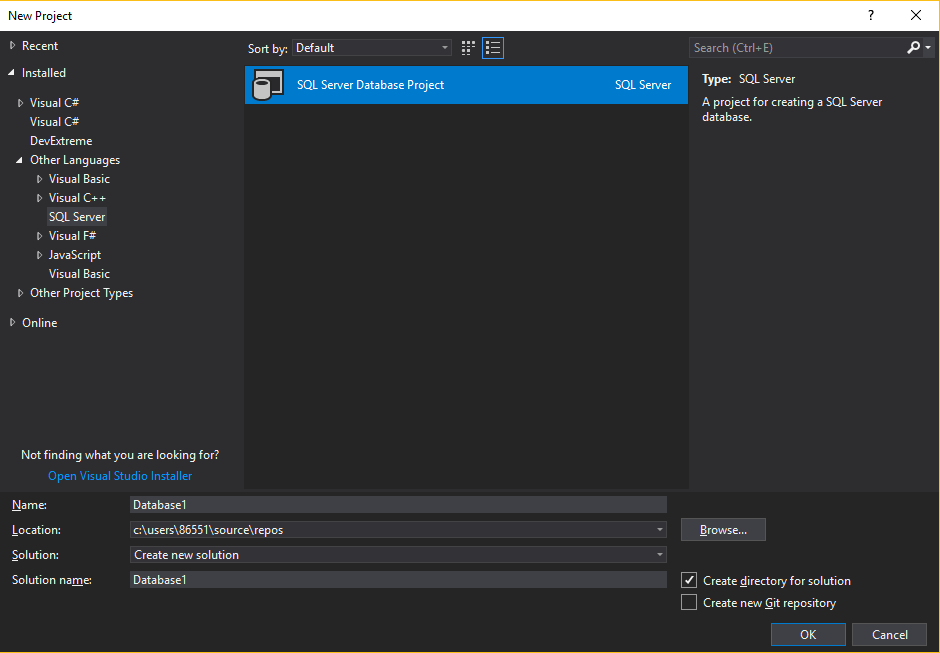
1.新建sql server項目
2.定義正則表達式的方法
public class SqlFunction
{
    /// 是否匹配正則表達式
    /// </summary>
    /// <param name="input">輸入的字符串</param>
    /// <param name="pattern">正則表達式</param>
    /// <param name="ignoreCase">是否忽略大小寫</param>
    /// <returns></returns>
    [Microsoft.SqlServer.Server.SqlFunction]
    public static bool RegexMatch(string input, string pattern, bool ignoreCase)
    {
        bool isMatch = false;
        if (!string.IsNullOrEmpty(input) && !string.IsNullOrEmpty(pattern))
        {
            try
            {
                Match match = null;
                if (ignoreCase)
                    match = Regex.Match(input, pattern, RegexOptions.Multiline | RegexOptions.IgnoreCase | RegexOptions.Compiled);
                else
                    match = Regex.Match(input, pattern, RegexOptions.Multiline | RegexOptions.Compiled);

                if (match.Success)
                    isMatch = true;
            }
            catch { }
        }
        return isMatch;
    }

    /// 獲取正則表達式分組中的字符
    /// </summary>
    /// <param name="input">輸入的字符串</param>
    /// <param name="pattern">正則表達式</param>
    /// <param name="groupId">分組的位置</param>
    /// <param name="maxReturnLength">返回字符的最大長度</param>
    /// <returns></returns>
    [Microsoft.SqlServer.Server.SqlFunction]
    public static string GetRegexMatchGroups(string input, string pattern, int groupId, int maxReturnLength)
    {
        string strReturn = string.Empty;
        if (!string.IsNullOrEmpty(input) && !string.IsNullOrEmpty(pattern))
        {
            try
            {
                Match match = Regex.Match(input, pattern, RegexOptions.Multiline | RegexOptions.IgnoreCase | RegexOptions.Compiled);
                if (match.Success && (groupId < match.Groups.Count))
                {
                    strReturn = match.Groups[groupId].Value;
                    strReturn = (strReturn.Length <= maxReturnLength) ? strReturn : strReturn.Substring(0, maxReturnLength);
                }
            }
            catch
            {
                return string.Empty;
            }
        }
        return strReturn;
    }
}
3.配置數據庫相關信息
右鍵-屬性,設置連接字符串,可以設置多個連接
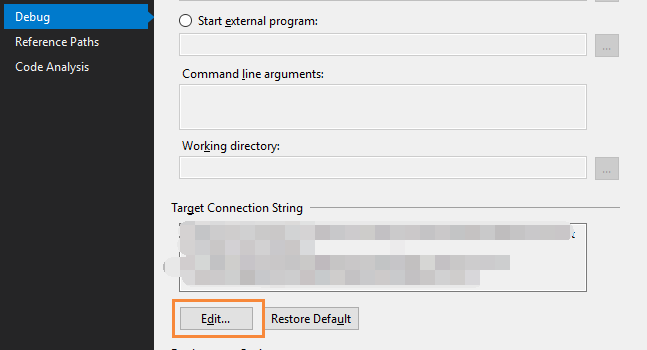
設置數據庫版本

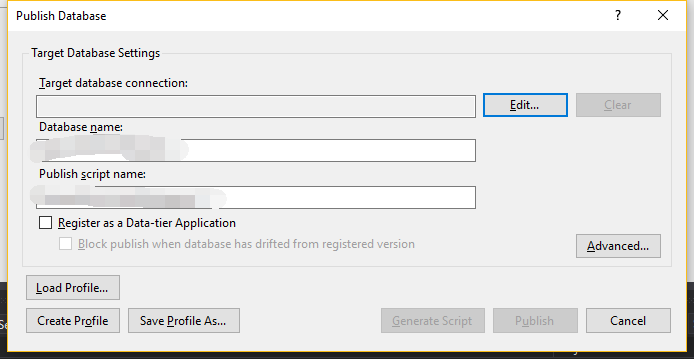
4.右鍵,發布
選擇目標數據庫即可
使用
--注意N不能遺漏
--注意sql里面的"true","false"對應1,0
where dbo.RegexMatch(table.property,N'"title":"[^"]*搜索內容[^"]*"',1)=1
注意事項
1.發布報錯:執行 CREATE ASSEMBLY 時失敗,因為該程序集是為公共語言用戶時的不受支持的版本生成的
SQL SERVER 2008R2 不支持.net4.0, 需要把項目改成.net3.5 部署成功了
2.執行sql報錯:禁止在 .NET Framework 中執行用戶代碼。啟用 "clr enabled" 配置選項
執行:
exec sp_configure 'show advanced options', '1';
go
reconfigure;
go
exec sp_configure 'clr enabled', '1'
go
reconfigure;
exec sp_configure 'show advanced options', '1';
go
參考資料:禁止在 .NET Framework 中執行用戶代碼。啟用 "clr enabled" 配置選項
參考資料
SQL Server 阻止了對組件 'Ole Automation Procedures' 的 過程'sys.sp_OACreate' 的訪問的解決方法
SQL Server中使用正則表達式
在VS2013中新建SQL Server項目,如何使用?
其他——PATINDEX
where PATINDEX(N'%搜索內容%', table.property)>=1
這里是使用通配符匹配
PATINDEX (Transact-SQL)
返回的是匹配的位置序號,不匹配返回0,判斷序號>=1,即匹配